
Browser extension for Chrome, Edge and Firefox
Sticky notes on any page. Bookmarks you can find again.
Pin a note to a page, to a whole site, or keep it with you everywhere. Save pages with folders, tags and a quick note, then find them with one search. No account, no server: everything stays in your browser.
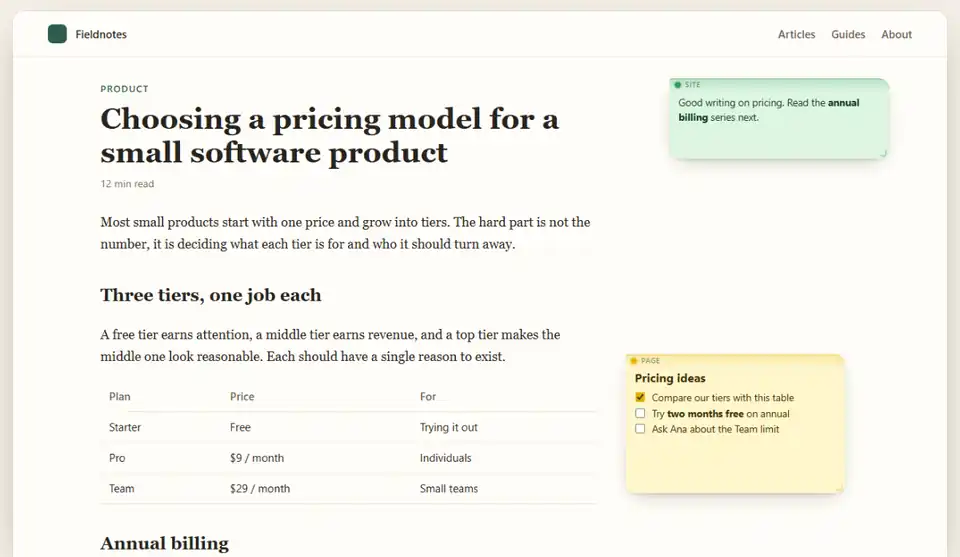
Watch it work
A walkthrough of the extension: notes pinned to pages, the bookmark manager and search.
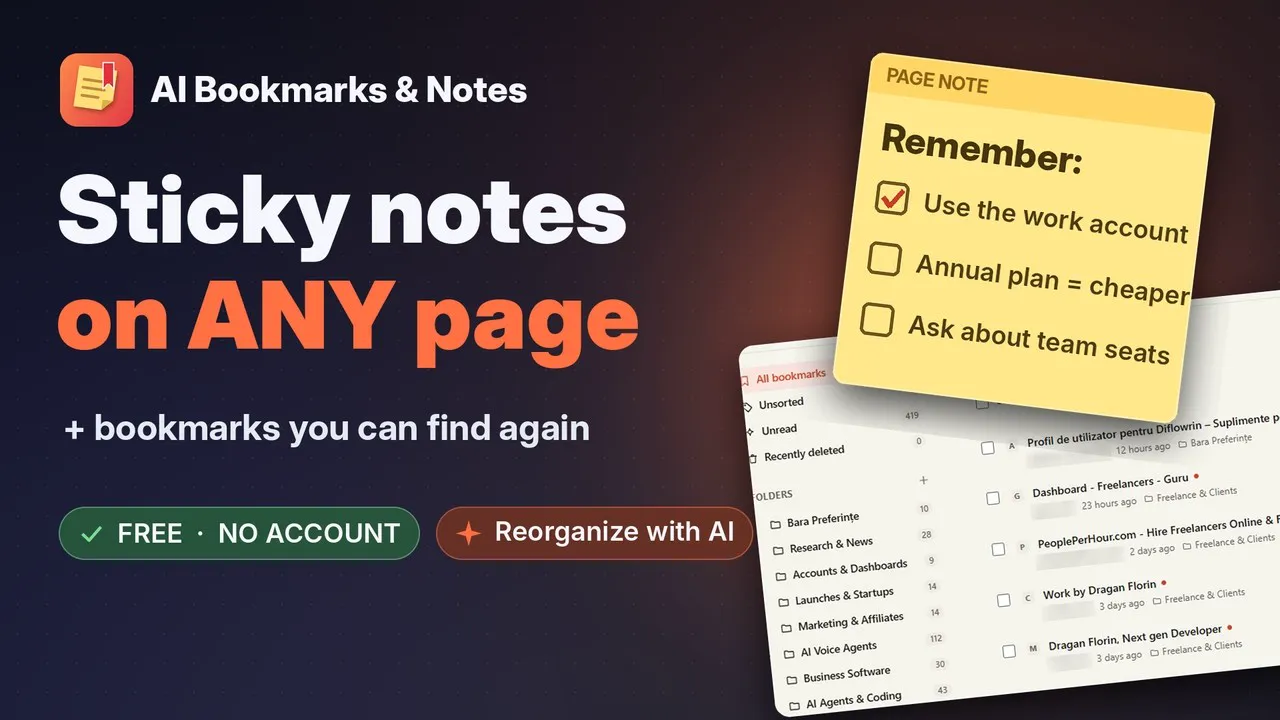
A note for this page, this site, or every page
Choose how far a note reaches when you create it, and move it later if you change your mind.
Only on this address
Reading notes, a checklist for one form, what to compare on a pricing table.
On every page of the site
Which account to use, where the setting is hidden, what to read next.
With you everywhere
This week's to-dos, a phone number you keep looking up, today's focus.
Write in Markdown
Headings, lists, links, code and checkboxes you can tick right on the note.
Notes stay where you put them
Drag, resize, pick one of 7 colors or minimize to a dot. A note follows the paragraph it was pinned to, even when the page changes around it. Frame part of a page with a zone note.
Reminders and auto-archive
Get a reminder on a date, or let a note archive itself when it is no longer needed.
Colors with meaning
Red notes come first, labeled Urgent. Gray ones go last, with a one-click Archive.
Everything in the side panel
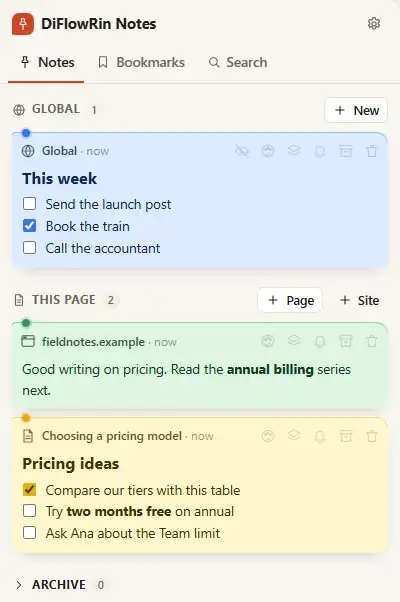
Global notes, this page's notes, bookmarks and search, one click away. Shortcuts: Alt+Shift+N for a new note, Alt+Shift+H to hide or show them, hold Alt to see through.
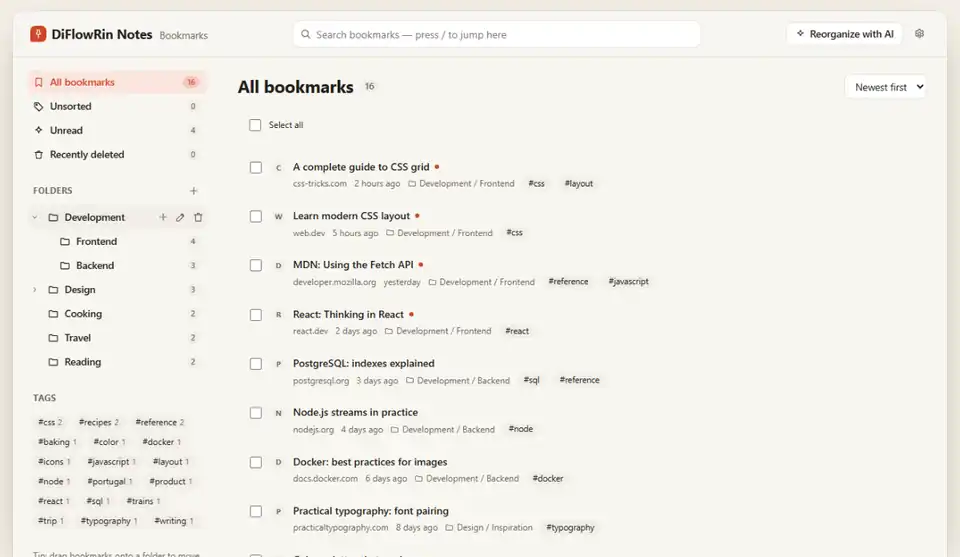
Bookmarks with a memory
Save a page in one click. Use folders and tags if you like, or don't organize at all and just search.
Folders, tags and "why I saved it"
Add a quick note when you save. Duplicates are caught before they pile up.
Suggestions that learn from you
Folder and tag suggestions come from how you saved before. No AI needed.
A full bookmark manager
Folder tree, search, bulk move, tag and delete, drag and drop, undo, and 30 days to recover what you deleted.
Works with your browser's bookmarks
Import them, or HTML exports from Raindrop, Pocket and others. Turn on two-way sync to keep both in step on this device.
Reminders for forgotten pages
"Saved a month ago, never opened" brings back what you meant to read.
One search for everything you kept
Notes and bookmarks in the same results, forgiving of typos, with filters. AI is there if you want it, never required.
Built in
Search that forgives typos
Find "pricng" and still get the pricing article. Filter by type, folder, tag or site.
Optional · on your device
Search by meaning
Finds pages about the same idea even without shared words. The model runs in your browser; nothing is sent.
Optional · your own key
Tidy up with AI
Reorganize hundreds of bookmarks through OpenRouter with the model you choose. Preview every move, then apply or undo. Your first bookmarks bar items stay where they are.
Your notes stay in your browser
There is no DiFlowRin server behind the extension. Nothing is sent anywhere unless you turn on AI, and then only what the privacy policy lists, directly to OpenRouter.
- No account, no analytics, no ads, no tracking.
- Websites cannot read your notes, and cannot see what you type into them.
- Email, login and banking sites are excluded from page text and AI by default.
- Export everything to JSON or Markdown at any time, or keep a weekly backup file.
What it asks the browser for, and why
Optional permissions are requested only when you turn on the feature that needs them, and can be removed in the browser's extension settings.
Storage
At install
Keeps your notes, bookmarks and settings on your device.
Active tab and scripting
At install
Shows and creates notes on the tab you are using, after you click the icon, a menu item or a shortcut. Reads the page's description and icon when you save a bookmark.
Context menus
At install
"Add note to this page or site" and "Save page or link" in the right-click menu.
Alarms and notifications
At install
Note reminders, automatic archiving on a chosen date, cleanup and the optional weekly backup.
Side panel
At install
The main view: global notes, bookmarks and search (Chrome and Edge; a sidebar in Firefox).
Bookmark manager page
At install
Replaces the browser's bookmark manager page with this one (Chrome and Edge).
All sites
Optional
Makes saved notes reappear as soon as a page loads. Page content is never sent anywhere.
Bookmarks
Optional
Only to import, reorganize or sync your browser's bookmarks. Changes happen only after you approve a preview, and can be undone.
Downloads
Optional
Only for the weekly backup file.
OpenRouter openrouter.ai
Optional
Only when you turn on AI suggestions, to call OpenRouter with your own key.
Questions
Do I need an account?
No. There is no account and no server. Notes, bookmarks and settings are stored in your browser, on your device.
Can websites read my notes?
No. Notes are drawn in an isolated layer the page cannot read, and when you edit a note you type into a frame that belongs to the extension, so the page cannot see your keystrokes.
Do I need AI to use it?
No. AI is optional and off by default. Folder and tag suggestions work without it, learned from how you saved before. If you turn AI on, it uses your own OpenRouter key and the model you choose, so you see and control the cost.
Does it change my browser bookmarks?
Only if you ask. Import reads them. Reorganizing changes them only after you approve a preview, and can be undone. Two-way sync is a setting you turn on.
Why does the note not appear on some pages?
Browsers do not let extensions draw on their own pages (new tab, settings, extension stores). Notes for those pages are still in the side panel, where you can edit or delete them.
Can I take my data out?
Yes. Export everything to JSON or Markdown from the settings at any time, or turn on a weekly backup file in your Downloads folder.
Keep the thought where you had it
Free. Live on the Chrome Web Store now; the Edge and Firefox listings are on their way.