
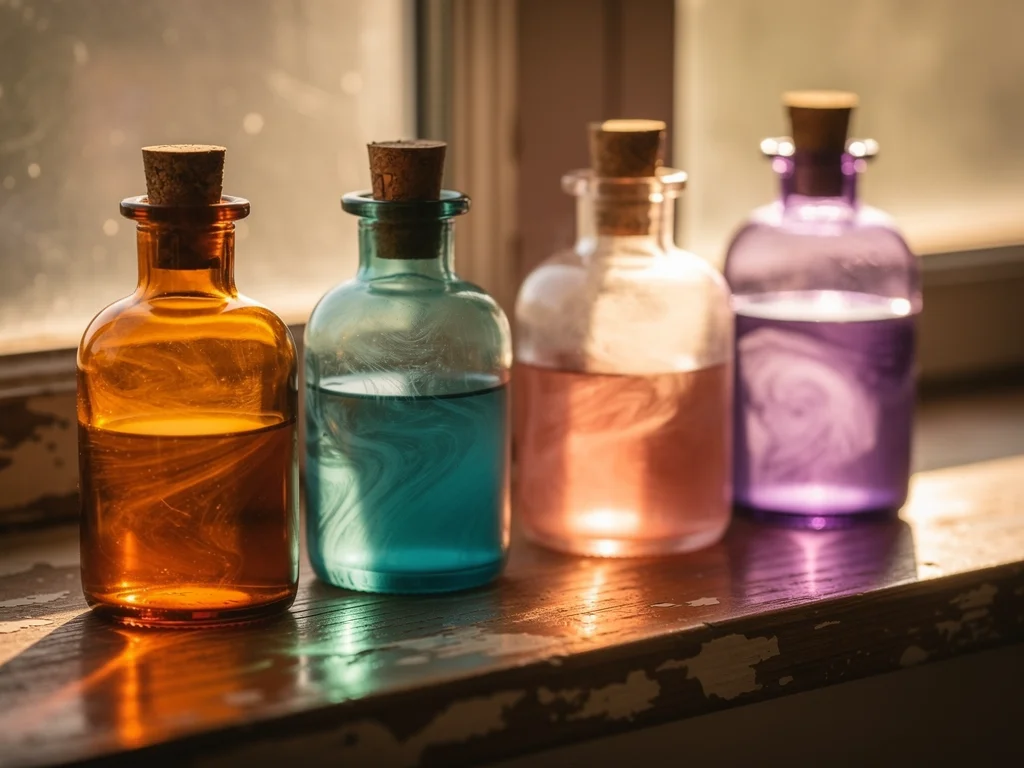
Some feelings refuse to become sentences. You open the journal, the pen hovers, and nothing honest comes out. Bottle Me, a visual mood journal app for iPhone and iPad, starts from exactly that problem. Instead of asking you to write, it hands you a glass bottle and a simpler question: how full is it today?
You pick colors, set a fill level or draw with your finger, and the picture becomes the entry. No paragraphs. No right answers. That is the whole bet, and it is a more interesting one than it first looks. It also comes with trade-offs, especially around privacy, that are worth knowing before you start.
Why the written journal is hard to keep
The standard advice is to write it all down: three pages a morning, a gratitude list at night, a long honest entry when things go wrong. It is reasonable advice, but plenty of people struggle to keep it up, because writing well about your own head is real work.
Tracker apps answered with numbers and symbols. A 2018 review of mood tracking apps by Mark Koester catalogued the usual approaches at the time: a 5-point scale in Daylio, a 10-point scale in iMoodJournal, a 3-point scale with a word cloud in Moods by Mokriya, and color-based tracking in MoodJam, which was web-only. That review is eight years old, and the category has moved on since; color-coded “Year in Pixels” calendars, for example, are now common.
Still, the underlying limitation holds. A single score says little about why a day felt the way it did. Bottle Me does not escape numbers entirely, since a fill level is still a percentage. What it changes is the shape of the entry: several colors, several feelings and a theme you chose, combined in one object instead of one point on a scale.
The product page describes it as a small space for feelings rather than a conventional long-form journal. That framing is fair. This is an alternative to writing long mood journal entries, not a prettier text box.
How Bottle Me works
The core loop is short; the project’s own guides pitch it as a mood diary that takes under a minute. Choose a theme, fill the bottle, save it, and optionally add one line of context. That is a complete entry.
Fill levels instead of paragraphs
Starting points include A Little Joy and A Little Worry (each with 12 bottles since version 2.0.0), life and relationship themes, and themes you create yourself. Then you pick colors and adjust the fill level. The level can mean intensity (how much joy today) or proportion (how much of the day was calm versus tense).
The website preview shows sample bottles at Joy 65%, Calm 50% and Hope 79%. That gives you the idea: a color-based mood tracker where the units are yours. One bottle can hold a single feeling, several feelings at once, a preference, or a topic between two people. The app says plainly that you do not need to fill every bottle.
Freehand drawing when levels are not enough
Sometimes a percentage is the wrong shape for what you feel. You can draw directly on the bottle with a finger, and the guides mention Apple Pencil support on iPad. Glass textures, dimensional liquid surfaces and color combinations make each bottle look like an object rather than a chart.
No drawing skill is required. The fill level is the fallback vocabulary for people who would rather not draw.
Templates and the ten Pro fill styles
If a blank bottle feels like a blank page in disguise, the guides list more than 60 hand-drawn bottle templates covering mood, personality, interests and general coloring subjects. Creating your own template manually is free.
Pro users can describe a feeling or idea in a sentence and get a generated outline. The guides say these outlines are tuned for clean, fillable regions rather than fiddly hairline shapes. Note that this generation runs through an online AI service (see the privacy section below).
Pro also unlocks ten advanced fill styles: Galaxy, Sakura, Ocean, Aurora, Rainbow, Crystal, Neon, Hearts, Sparkles and Confetti. The website says its Galaxy, Sakura and Ocean previews use real app screenshots, so those three at least are shown as they appear in the app.
A diary you scroll instead of read
Every finished bottle can be saved as a personal record, and the records stack into a visual mood timeline (redesigned in version 1.9 with cover thumbnails). Over weeks, the colors can show patterns that a pile of written entries would bury. Words stay optional: you can save a single line of context with each piece, or skip it.
There is also a poster feature. You arrange a collection of bottles into one image to save or share. One deliberate detail: the Bottle Spirit’s mood reading is not included in the shared image, so your visual expression and the app’s interpretation of it travel separately.
The Bottle Spirit: a pause, not a prescription
Bottle Me includes a small companion called the Bottle Spirit. It reacts when you touch it, you can breathe along with rising bubbles, and there is optional background audio. The product page presents this as a calm moment, not a clinical treatment or a promise of better mental health.
The Spirit also offers readings: AI-generated mood interpretations based on your filled bottles. The site states they are a starting point for reflection, not psychological diagnoses or medical advice. Readings come with usage allowances; current limits and prices are shown in the app and on the App Store.
Two things to keep in mind. First, those disclaimers are what you would expect from any responsible wellness app, so they are a baseline rather than a standout feature. Second, readings are not processed on your device: according to the privacy guide, the app sends your theme, input text, bottle labels and fill percentages to an AI service to generate them.
Filling a bottle with another person
Duo mode turns Bottle Me from a private journal into something closer to a couples mood app, though friends and long-distance connections are the stated audience too. You pick a shared theme and invite the other person with an invite code, a QR code or a share link. Then you choose one of two modes:
Live: you both fill the shared bottle in real time.
Separate answers: each of you fills it whenever you have a minute, then you view a duo report.
The second option matters more than it sounds. For partners in different time zones or friends with clashing schedules, asynchronous filling means the shared bottle still works. Online duo features require an internet connection.
The suggested prompts are low-pressure: what does a perfect weekend look like, how full is your bottle of joy this week. Each person answers in colors and levels, and the report shows where you overlapped and where you differed.
The current website frames this as filling together and listening, not as a scored compatibility quiz. That framing is newer than the feature, though. When the asynchronous mode launched in version 1.9.3 (July 2025), the App Store release notes described it as a way to score how compatible you are, and version 1.9.4 referred to a “compatibility report”. Expect the report to still read partly as a comparison.
The latest update, version 2.0.1, added a related game called Fill & Guess: you fill a set of bottles, invite friends to guess your answers, and see how well they know you.
What free gets you, and what Pro adds
The free tier is not a demo. Basic filling, personal records, manual template creation and duo filling are all free. Pro is a one-time in-app purchase, and the guides stress that there are no ads and no recurring fee.
Pro adds four things:
The ten advanced fill styles, from Galaxy to Confetti
Smart template generation from a written description
Watermark removal on shared images
Expanded access to the Bottle Spirit’s mood readings
The official site does not print a price and points you to the app. As of October 20, 2026, the US App Store lists Bottle Me Pro Lifetime at $4.99. Treat that as the current store price, not a permanent one, and check the membership page in the app before buying.
Technical details
Item | From the US App Store listing |
|---|---|
App name | Bottle Me: Mood Tracker |
Developer | 军 王 (copyright: Fitzwang) |
Size | 17.7 MB |
iPhone / iPad | iOS 17.6 / iPadOS 17.6 or later |
Mac | macOS 14.6 or later, M1 chip or later; listed as “Designed for iPad. Not verified for macOS” |
Apple Vision | visionOS 1.3 or later |
Languages | English, Japanese, Korean, Simplified Chinese |
Age rating | 4+ (contains user-generated content) |
First release | Version 1.0, May 21, 2025 |
Current version | 2.0.1 (October 2026) |
The Mac and Vision versions run the iPad app. The listing does not say explicitly whether the Pro purchase carries over to them, so check before relying on it.

Where your data actually goes
The short version: your personal bottles stay on your device by default, but several features send data online, and the App Store privacy label does not reflect that.
The App Store label says the developer does not collect any data from the app. Apple notes that this information is self-reported and has not been verified by Apple. The project’s own privacy guide gives a more detailed picture, and even warns against blanket claims that the whole app is offline or collects nothing:
Feature | What is processed online, per the developer’s guide |
|---|---|
Personal records | Nothing by default; stored locally |
Smart templates and Spirit readings | Theme, input text, bottle labels and fill percentages, sent to an AI service |
Duo mode | Room identifiers, participant nicknames, themes, fill results and reports; duo readings also use display nicknames and answers |
Community templates | The template, its cover and your sharing nickname; approved content is visible to other users |
Usage data | The app integrates Firebase and may process usage statistics and technical diagnostics |
Purchases | Handled by Apple; the app checks purchase status to confirm Pro |
Two more practical points from the same guide. Uninstalling the app or clearing local data can delete your records, and the guide does not mention a backup option. Deleting local data also does not remove content already shared or processed online; for that, you need to contact the developer at contact@bottleme.app.
None of this is unusual for an app with AI and multiplayer features. It does mean the “Data Not Collected” label should not be your main guide. If you use Bottle Me for sensitive feelings, keep the AI readings and community sharing in mind, and read the privacy policy.
How it sits next to other mood trackers
The honest way to place Bottle Me is by trade-off, not by ranking. Moodistory is built for speed and analysis, with quick tap-to-log entries, activity tracking and a Year in Pixels view. Moodscape takes an AI-art route, generating landscapes from your mood history under a subscription. Colors grounds its journaling in CBT techniques with guided prompts. (Feature details for these apps were not re-verified for this revision; check their current listings, and note that two of the links point to Android versions.)
Bottle Me’s difference is structural. In most trackers, the visual is a chart of your words or ratings. Here, the visual is the record itself, and words are the optional extra. And while much of the category relies on subscriptions, Bottle Me is a mood tracking app with an optional one-time Pro purchase and no advertising.
Which trade suits you depends on what you want back from a journal: analytics, therapy-adjacent structure, or a quiet minute with a bottle.
The honest limits
Four things the available material does not give you:
Validation. The project makes no clinical claims and describes itself as a reflective and creative tool. There is no independent research on whether coloring a bottle builds self-awareness better or worse than writing a page.
Reach. There are no published usage figures or demographics, and the App Store does not yet have enough ratings to show an overview. The first version shipped in May 2025, so the fair description is a young project from a single developer.
Privacy clarity. The self-reported App Store label and the developer’s own documentation disagree (see above). The documentation is the more detailed and more cautious of the two.
Platform coverage. Everything here describes the Apple version. Check the project’s own pages for anything beyond that.
People Also Ask
Can Bottle Me replace a traditional written mood journal?
For many people, partially. The image is the entry, words are optional, and the timeline can surface patterns without any writing. If you process feelings by putting them into sentences, you will still want a written journal alongside it. If writing is the reason you never journaled, this is designed for you.
Is Bottle Me available on iPhone and iPad?
Yes, with layouts for both, and the guides mention Apple Pencil support on iPad. You need iOS 17.6 or iPadOS 17.6 or later. The iPad app also runs on Apple silicon Macs (not verified by the developer for macOS) and on Apple Vision.
Do I need drawing skills to use Bottle Me?
No. The fill-level mechanic lets you express intensity and proportion without drawing, and the 60-plus templates give you ready-made outlines to color. Freehand drawing is there when you want it.
Is Bottle Me private?
Partly. Personal records stay on your device by default. AI templates and readings, duo mode, community sharing and Firebase analytics involve online processing, according to the developer’s own privacy guide.
Who this is for
The use cases the project lists describe its ideal user: a quick daily check-in, a visual alternative to long mood entries, creative stress relief, adult digital coloring, a conversation starter for couples, a long-distance ritual, a quiet breathing pause.
If the blank page keeps winning, try putting the feeling in a bottle instead. The download and the core features are free. The worst case is that you spend a minute and end up with a reasonably nice picture of a Tuesday.
Additional resources
Bottle Me privacy guide: what stays local and what goes online
This article includes content created with AI.