
Here is what people get wrong about Orkas AI, and about every tool that looks like it. They think the hard part is the writing. It isn’t. The hard part is the context: what the meeting actually decided, which line of the cost sheet is the real cost per lead, which template the client expects, what you promised them last month. An assistant that forgets all of that will still hand you a beautiful document. It will just be a beautiful document about nothing.
So look at the mechanism before you look at the output. Orkas is an open-source, MIT-licensed desktop app for macOS and Windows that runs a team of agents on your own machine. The lead agent, Commander, is the one holding the thread. The product is not built around one clever answer. It is built around the idea that the source material, the rules, the files and the revisions stay attached to the work. Disclosure before we go further: this piece is written on Orkas’s behalf. It is a product recommendation, not a report from independent hands-on testing.
📹 Video: Orkas: An Open-Source AI Team That Lives On Your Desktop
Video credit: Trending Open Source Projects
Why a finished answer is not a finished task
Think about the last report you shipped. The writing was maybe a fifth of the work. The rest was hunting the numbers, working out which version of the spreadsheet was current, remembering that the client hates one particular word, and rebuilding the same slide layout for the fourth month running. None of that is writing. All of it is context.
A chat assistant can produce a paragraph. It cannot hold the paragraph, the source spreadsheet, the template and the correction you made on Tuesday in one place, because it has no place to hold them. You become the storage layer. You copy, paste, re-explain and re-upload, and every round trip loses a little more of what you meant.
Orkas starts from the opposite assumption: the deliverable is a file, and the file should come back to you with the reasoning still attached to it.
What Orkas AI actually is
It is a desktop application you install, sign into and talk to in a chat window. Behind that window sits a multi-agent AI workspace: a lead agent called Commander, sixteen built-in specialists, and any external command-line agents you already have installed.
Three things separate it from a browser chatbot, and all three matter for document work.
It writes files. Reports, spreadsheets, decks, PDFs, images, video. Not text you paste somewhere else afterwards.
It remembers the project. Goals, rules, memory and files live in a Project, and every new conversation in that project starts from them.
It runs on your disk. Chats, files, keys and workspace data stay on your computer by default, and the code is public if you want to check that claim yourself.
One thing it is not: a local language model. Orkas calls whichever model you point it at, whether that is a managed Orkas model, your own provider key or a local endpoint. It orchestrates agents and tools. It does not generate tokens itself.
How Commander coordinates specialist agents
Commander is the part that decides who does what. Give it a goal and it reads the available context, works out what success looks like, picks agents, skills, connectors and tools, and checks for gaps before it starts. For small jobs it does the work itself. For bigger ones it delegates.
The repository documents three delegation patterns, and the difference between them explains why some tasks come back as a package and others come back as a single reply.
dispatch_toruns a named agent and returns the result to Commander, which keeps working. It can wait for the result or run asynchronously and notify when the task finishes.hand_off_totransfers the remaining work to a named agent and ends Commander’s turn. That agent delivers its own reply, with an optional continuation so Commander can resume the wider task afterwards.run_workerruns an anonymous, isolated sub-task and returns a private result. It gets no conversation history and no named agent’s skills.
Named agents and anonymous workers have separate concurrency controls. Session locks bound how much runs in parallel. Tool-round budgets, progress checkpoints and watchdogs contain runs that stall or repeat themselves, and a queued task is never treated as a completed result.
The 16 built-in specialists
Sixteen agents ship with the app, each with its own skills, memory and tools. The first four below matter most for a report and a deck; the rest round out the team.
PptMaker builds, edits and reviews native editable PPTX decks or deck outlines, from a topic, a document, data, visual references or an existing deck.
OfficeWorker handles multi-file office work: Word and DOCX, Excel and XLSX, PowerPoint and PPTX, WPS-compatible files, PDFs, CSV conversion, formulas, charts and formatting.
DeepResearcher produces research with sources, flagged contradictions, confidence levels and stated limitations.
ContentWriter writes posts, articles, newsletters and case studies.
ImageStudio, VideoStudio and VoiceStudio cover images, video and audio.
UIDesigner and ProductDeveloper cover interfaces and repository-aware engineering.
SeoGeoAgent runs technical SEO and AI-citability audits.
StockAnalyser handles equity research, factor screens, backtests and portfolio risk checks.
Five e-commerce agents cover research, listings, review analysis, sales analysis and catalogue operations.
The marketplace is explicit about one boundary: OfficeWorker is not intended for high-design presentations built from scratch. That is PptMaker’s job, and PptMaker checks rendered results rather than trusting the file it just wrote. The marketplace lists more than 30 agents in total, and if the role you need does not exist, you describe it and Commander builds a custom agent for you.
Your own CLI agents join the same plan
Orkas runs Claude Code, Codex, OpenCode, OpenClaw and Hermes-Agent as local sessions alongside its own specialists. Commander hands each one the part it is best at and keeps one plan across all of them, so a single chat can fix a bug, review the change and draft the release note. External CLI agents keep their own model settings; Commander and the built-in agents share one model setting between them.
Meeting notes and a cost sheet, turned into a report and a deck
Here is the workflow the product is actually shaped for. You have last week’s meeting notes in a document and a cost sheet in a spreadsheet. You want a written report and a slide deck you can present on Friday.
You attach both files, then state the outcome, the audience, the format and the boundary. The Orkas documentation recommends exactly that shape of brief: what you want, what source material to use, who it is for, what format, when it is due, and what needs your approval before anything happens.
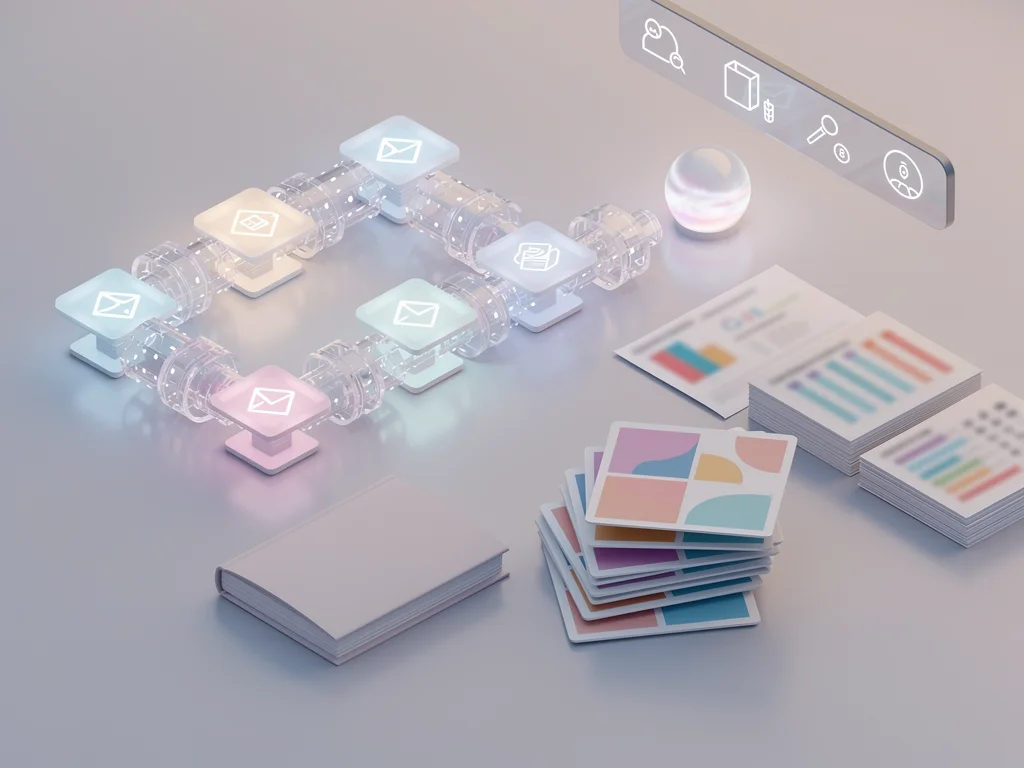
Then, in the design Orkas describes, the work splits. Commander would read the notes, flag that the cost sheet has two tabs that need reconciling, and route the spreadsheet work to OfficeWorker. The narrative would go to ContentWriter or stay with Commander. The deck would go to PptMaker, and if a claim needs a source, DeepResearcher would pick it up. You follow progress, answer the questions that come back, and open the files when they land.
What the site shows for a client update deck
The Orkas site runs a worked example along these lines. Two advertising accounts are combined into a cleaned spreadsheet, giving 32 enquiries at a cost per lead of $18.60. From that, the workflow produces a client update deck and an email draft. The PptMaker output shown is an eight-slide file named client-weekly.pptx, covering the period Oct 12 to 18, with 32 enquiries, $18.60 CPL and a 3.2% CTR on the slides.
That is a marketing example, not a finance one, but the shape holds for your meeting notes and cost sheet: numbers get reconciled in a file, the file feeds the narrative, the narrative feeds the deck, and all three stay inside the same task.
Editable PPTX, not a picture of a slide
This is the detail that decides whether the output is useful. PptMaker produces native editable PPTX. You can open it in PowerPoint, change a chart, swap a screenshot, add speaker notes, apply your own branding, or merge the slides into another deck. A deck exported as images looks fine until someone asks you to change one number.
Native editability also makes the review step real. You are not approving a rendering. You are editing a file that behaves like every other file in your workflow.
Project context that survives the week
A single task is easy to demo and hard to live in. The interesting question is what happens on the fifth Friday, when the same client report is due again.
Orkas answers with Projects. A Project holds the long-running goal, the rules, the preferred output, memory, files, tasks, to-dos, automations, agents and Library sources. New conversations in that project start from that background instead of from a blank box. The Goals and rules field takes up to 4,000 characters, which is enough room for the house style and the things the client keeps complaining about.
Memory, and the Library that indexes your documents
Two different things get remembered, and the split matters. Durable notes hold stable preferences, project facts and each agent’s reusable knowledge, kept in separate scopes. The Library is something else: it extracts documents into passages, stores a local SQLite vector index, and retrieves the relevant passages when a later question needs them. The embedding model runs on your machine.
So a supplier contract you added three months ago can be quoted back at you with a pointer to the passage, and you can open the original and check it. That is the difference between a citation and a confident sentence.
To-dos, Auto-advance and AI project automation
Every project has a to-do list that can be split between people and agents. Auto-advance lets the team pick up the next item once its dependencies are satisfied. It is off by default, and it runs on the assigned device while Orkas is running.
Automations run a task once, or hourly, daily, weekly or monthly, with optional end dates or run-count limits. They run on the assigned computer in local time, so the machine has to be awake and Orkas has to be running. From version 1.9, each automation catches up its most recent missed run within 12 hours after the computer wakes or Orkas starts. Closing the window leaves Orkas in the macOS menu bar or the Windows system tray. Quitting stops active work and scheduled execution.
That paragraph is the honest limit of a desktop-first design, and it is worth saying plainly: this is not a service that keeps working while your laptop is shut.
Local-first does not mean every request stays offline
This is where a lot of local-first marketing gets vague, so here is the actual split.
By default, files, chats, memory, keys and workspace data stay on your computer. When you connect your own provider, API calls go directly from your machine to that provider. When you choose an Orkas-managed model or an optional cloud service, the selected service receives the content that feature needs. Managed features can include models, search, image, video, voice, speech, connectors, sync, marketplace and billing. Optional cloud sync and shared projects store selected data on Orkas servers.
Your own provider keys are encrypted locally and excluded from cloud sync. Orkas states that it does not claim ownership of your content and does not use it to train AI models or for advertising, and that you remain responsible for having the rights to whatever you upload or connect.
One practical requirement: Orkas-run chat needs a model with a context window of at least 32,000 tokens. Smaller local models will not carry a long report and a spreadsheet at the same time.
Choosing a model, and what it costs
Bring your own provider or use a managed model
You can use Orkas-managed models or bring your own. Bringing your own covers OAuth, an API key, or a custom OpenAI-compatible or Anthropic-compatible endpoint. The listed providers include OpenAI, Anthropic, Google Gemini, DeepSeek, Zhipu GLM, Moonshot/Kimi, MiniMax, Doubao and OpenRouter, and the README also names Qwen and local OpenAI-compatible endpoints.
The app itself is free. The free plan is listed at $0 per month and includes Commander, the specialists, model choice, local agents, a small allowance of shared projects for collaboration (the pricing page lists up to three projects with three members each), and 100 MB of project cloud storage. New users who sign in through the desktop app get 500 bonus credits for the managed models.
Free plan, paid tiers and credits
Paid tiers as listed on the pricing page:
Lite: $11.99 per month, 5,000 monthly credits, publish up to 5 web apps
Pro: $19.99 per month, 10,000 monthly credits, publish up to 8 web apps
Max: $79.99 per month, 50,000 monthly credits, publish up to 15 web apps
The page shows these as discounted prices next to higher struck-through standard prices. One-month non-renewing plans are listed at $12.99, $21.99 and $82.99, and a pack of 5,000 lifetime credits costs $10.99, or $8.99 for members. Monthly credits are spent first and do not roll over; lifetime credits stay valid. Promotional prices can change, so check the pricing page before you commit to anything.
Credits only meter the Orkas-managed model service. Connect your own key and those calls are billed by that provider, using no Orkas credits. The pricing page gives approximate consumption of 60 to 120 credits per million input tokens, 6 to 12 per million cached input tokens and 360 to 540 per million output tokens, plus about 5.6 credits per web search.
Where it breaks, and why you still review
Orkas’s own terms are blunt about this: AI output can be wrong, incomplete, biased, stale or contain fabricated references, and users are required to review it independently before relying on or distributing it. That warning matters most exactly where this workflow points: cost sheets, financial conclusions, client-facing claims, source citations, permissions, and anything that writes a file, sends an email, posts or calls an API.
The product is built with that in mind rather than around it. Commander separates decisions from safe next steps, keeps unresolved owners visible, and avoids starting irreversible work until you confirm the important details. Connectors ask before sending, posting or deleting anything by default. You can revise one part of a result while keeping the approved parts intact, and you get a summary of what was done and what still needs a decision.
None of that removes the review step. It just puts the review in the same place as the work, instead of in a separate folder where you keep the version you actually trust.
Installing it on macOS or Windows
The packaged app supports macOS 12 Monterey or later on Apple Silicon and Intel, and Windows 10 or later on 64-bit systems. Linux runs from source today, with glibc 2.34 or later on x64 or arm64; Alpine and other musl-based distributions are not supported.
Running from source needs Node 22.12 or later, with Node 24 LTS recommended if you hit native dependency problems. Python 3 and a C/C++ toolchain are needed only when a native npm package has no compatible prebuilt binary.
git clone https://github.com/Orkas-AI/Orkas.git
cd Orkas
./run.sh           # macOS / Linux
run.cmd            # Windows
The first launch prepares the pinned runtime: Python, uv, Node, an embedding model of roughly 95 MB, OfficeCLI, FFmpeg, whisper.cpp and a multilingual speech model. It creates a workspace under ~/.orkas/ on macOS and Linux, or on the smallest non-system Windows drive at .orkas. The source build can run fully offline against a local model endpoint. The packaged app needs a sign-in, and cloud models need a network connection.
One difference worth knowing before you choose: shared projects, cloud sync and web-app publishing are only in the packaged app. The open-source build does not support them yet.
People Also Ask
Can I use a local model like Ollama or LM Studio with Orkas?
Yes. Open Account settings, then Models, then Chat, then Add model, then Custom. Choose OpenAI-compatible or Anthropic-compatible, enter the base URL, the exact model ID and an API key, then pick the saved model from the task’s model control. Keep in mind that Orkas-run chat needs a context window of at least 32,000 tokens, so a very small local model will not carry a long report and a spreadsheet together.
Do I need an Orkas account to run it?
The packaged desktop app asks you to sign in when you first launch it, which is how the 500 free credits are attached to you. The source build in the repository has no account layer at all and boots straight into the app, but it also leaves out shared projects, cloud sync and web-app publishing.
Can Orkas build an app and publish it?
Local apps that run inside Orkas are free: you describe the tool and it builds it as a local app within the desktop app. Publishing one as a web app with a public link needs a paid plan, with Lite allowing 5 apps, Pro 8 and Max 15, and published web apps do not include every capability available inside Orkas.
How is Orkas different from Claude Code or Codex?
It is not either-or. Claude Code and Codex are coding agents, and Orkas runs both as members of its team alongside OpenCode, OpenClaw and Hermes-Agent, with Commander handing each one the part it is best at. Around them it adds specialists for research, writing, decks, video and office files, plus projects, to-dos and automations that keep the work moving between sessions.
What actually changes
The pitch for every AI tool is that it saves you time writing. That is the least interesting part. The time goes in the gaps: re-explaining the project, re-uploading the spreadsheet, rebuilding the deck, hunting the number someone questioned in the meeting.
Orkas is worth a look if your work looks like that, and if you would rather own your tools than rent them. It is MIT licensed, the code is on GitHub, and the free tier is genuinely free to start. It is not worth it if you want a single chatbot, or if you need work to continue while your machine is off.
So try it on one recurring deliverable. Attach the notes, attach the cost sheet, ask for the report and the deck, then read both before you send them. That last step is not optional, and no tool in this category is going to make it optional for you.
Additional Resources
Orkas — Direct your AI team by chat, and scale your business.
Orkas User Guide for Agents, Projects, Library, Automations, and Connectors
This article includes content created with AI.